Smartphones sit at the centre of work, study, entertainment, and social life, yet many people only use a fraction of their potential. With a few smart tweaks, your device can run faster, stay organized, and support healthier habits. This guide shows clear, practical ways to optimize settings, manage storage, and keep software in top shape. You will also learn how to turn your phone into a productivity hub while still enjoying streaming, photos, and social apps without burning out or wasting time every day.
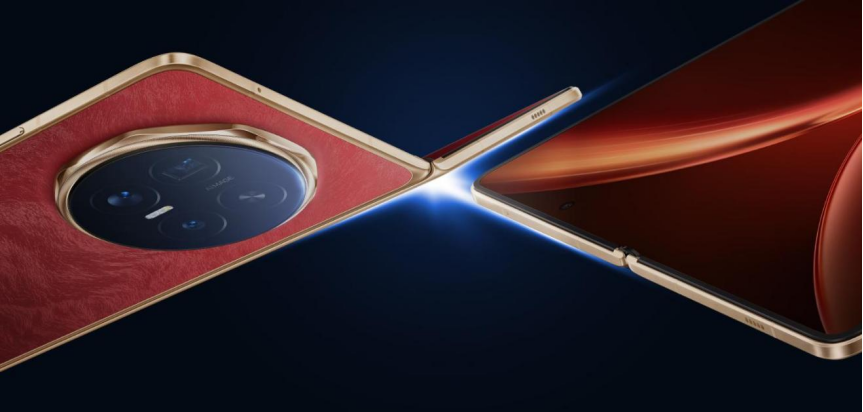
Optimize Your Smartphone for Better Daily Performance
Customize Settings for Faster and Smoother Operation
Start by adjusting display, sound, and system settings to match how you actually use your phone. Lower screen brightness slightly and shorten screen timeout to save battery. Turn off unused animations, vibrations, and live wallpapers to reduce lag. Disable background activity for non-essential apps, especially social and shopping apps that constantly sync data. Review notification settings and only allow alerts from key tools like messaging, email, and calendars. These simple tweaks free up memory and processing power so your smartphone feels quicker and more responsive.
Manage Storage Space and Remove Unnecessary Files
A full phone feels slow, so regular storage cleaning matters. First, delete duplicate photos, old screenshots, and blurred images using your gallery or built-in cleanup tools. Remove apps you never open, including pre-installed bloatware where your system allows it. Clear cached data from heavy apps like browsers, social media, and streaming services. Move large videos and documents to cloud storage or an SD card if your device supports one. By keeping at least 10–20% free space, your smartphone can handle updates, new apps, and large files smoothly.
Keep Software and Apps Updated for Peak Performance
System and app updates often bring speed improvements, security patches, and bug fixes that improve daily use. Turn on automatic updates over Wi-Fi so you do not miss critical improvements. Regularly open your app store to review pending updates, especially for browsers, banking apps, and productivity tools. Remove apps that no longer receive updates or have poor recent reviews. Restart your phone every few days to clear temporary files and refresh processes. Updated software runs more reliably, keeps your data safer, and reduces random freezes or crashes.
Use Your Smartphone More Productively Every Day
Turn Your Smartphone Into a Personal Productivity Hub
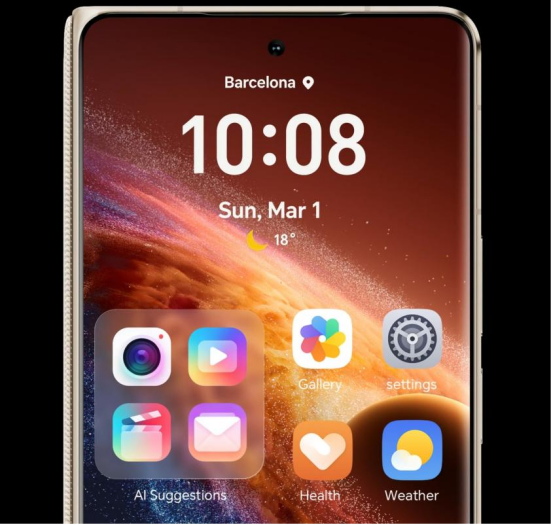
Transform your home screen into a focused workspace. Place key apps like email, calendar, tasks, notes, and cloud storage on the first page, and move distracting social or gaming apps to later screens. Use widgets to keep calendars, to-do lists, and timers visible without opening apps. Connect your accounts so notes, files, and bookmarks sync across phone, tablet, and computer. Pin essential contacts and work chats for quick access. When your phone layout mirrors your priorities, it becomes a powerful hub instead of a constant distraction.
Organize Tasks, Calendars, Notes, and Reminders Efficiently
Pick one main app for tasks and commit to it. Create simple lists for work, home, study, and errands, and add due dates and priorities. Sync your calendar with email so meetings and events appear automatically, then set alerts with enough time to prepare or travel. Use your notes app to capture ideas, receipts, and reference info, grouped by folders or tags. Set reminders for bills, renewals, and recurring chores. With everything in one clear system, your smartphone helps you remember, plan, and act on time.
Use Automation Features to Save Time and Reduce Repetitive Work
Modern smartphones include powerful automation tools that reduce small, repetitive tasks. Use routines or focus modes to change settings by time or location, such as enabling Do Not Disturb at night or launching navigation when you connect to your car. Set automatic backups for photos and documents to cloud services. Create text shortcuts for common phrases, addresses, and email replies. Enable automatic Wi-Fi, Bluetooth, and hotspot rules based on use. With a few well-designed automations, HONOR Magic V6 quietly handles routine actions in the background.
Improve Entertainment, Communication, and Digital Wellbeing
Get More Value From Streaming, Photography, and Communication Tools
Plan your entertainment instead of jumping between apps. Download playlists and episodes on Wi-Fi for offline use and smoother playback. Explore camera modes like night, portrait, and pro settings to capture sharper photos, then organize albums for trips, family, and documents. Use video calling, group chats, and collaboration apps to stay close to friends, family, and teammates. Turn on Wi-Fi calling if your signal is weak. When you use these tools with intention, your smartphone becomes a rich source of connection and creative expression.
Reduce Screen Time With Healthy Smartphone Habits
Digital well-being does not mean abandoning your phone; it means using it on purpose. Start by checking built-in screen time reports to see where your hours go. Set daily limits for apps that cause the most distraction. Use Focus or Do Not Disturb during deep work, meals, and bedtime. Keep your phone outside the bedroom or across the room at night. Turn off non-essential notifications so only important alerts appear. These small habits reduce mindless scrolling and help your phone support a healthier routine.
Conclusion
Smartphone power does not depend only on hardware; it depends on smart habits and thoughtful setup. By fine-tuning settings, managing storage, and keeping apps updated, you protect performance and security. When you design a clear system for tasks, calendars, and notes, your phone becomes a reliable partner instead of a source of stress. Purposeful use of streaming, photography, and communication tools adds joy without overload. With healthy limits and simple automations, you can maximize smartphone use and get more value from every tap and swipe.