A full battery at breakfast can feel half-empty by lunch, even with light use. Many people blame the phone, but habits, apps, and settings often cause fast battery drain. Modern smartphones run dozens of tasks at once, even when the screen stays off. Bright displays, constant notifications, and poor signals all use more power than most users expect. Some simple tweaks can make a big difference. By understanding what actually drains your battery, you can spot issues early and fix them. This guide explains key causes of fast battery drain and shows practical steps to extend battery life.

What Causes Fast Battery Drain?
Display Settings and Screen Usage
Your screen usually consumes more power than any other part of your phone. High brightness, long screen timeout, and vivid high-refresh-rate displays drain the battery quickly. Many users keep brightness at maximum, even indoors, which wastes energy. Live wallpapers, always-on display modes, and animated transitions also add more drain over time. Streaming videos, gaming, and scrolling social media with auto-play videos keep the screen active and push the processor. Higher resolution modes, like QHD instead of FHD, demand extra power every second the screen stays on. Reducing brightness and screen-on time can immediately slow down battery drain throughout the day.
Background Apps and Notifications
Apps often stay busy after you close them. Social media, messaging, email, and shopping apps refresh data in the background to send instant updates. Each sync uses power and wakes the phone repeatedly. Poorly optimized apps may run background processes nonstop or keep the CPU from sleeping. Frequent push notifications also light up the screen and trigger sounds or vibrations. Location tracking from maps, ride-hailing, and fitness apps can run silently and use GPS, Wi-Fi, and mobile data. Over time, these hidden tasks add up. Managing background activity and cutting nonessential notifications helps reduce the drain you might not even notice.
Poor Signal and Connectivity Features
A weak mobile signal forces your phone to work harder to stay connected. When signal strength drops, the modem boosts power to maintain calls and data, which accelerates battery drain. Constantly switching between 4G, 5G, and Wi-Fi also consumes extra energy. Features like Bluetooth, GPS, NFC, and mobile hotspot keep certain radios active, even when idle. If you move through areas with spotty coverage, your phone repeatedly searches for a better network. Roaming or using 5G in low-coverage areas can be especially demanding. Turning off unused wireless features and using airplane mode in dead zones can significantly improve battery life.
How to Improve Battery Life?
Optimize Phone Settings
Small setting changes can extend battery life without hurting usability. Lower the screen brightness and enable auto-brightness so your phone adjusts to the environment. Shorten the screen timeout so it turns off quickly when not in use. Use battery saver mode on HONOR Magic V6 to limit background activity and visual effects. Switch the display resolution or refresh rate to a lower setting if available. Turn off the always-on display if you do not rely on it. Review app battery settings and restrict background usage for apps that do not need constant updates. Updating your operating system and apps can also fix bugs that cause battery drain.
Build Better Charging Habits
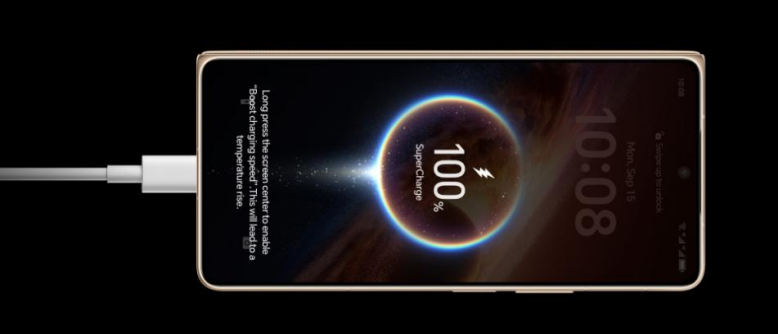
Good charging habits help keep your battery healthy over time. Avoid letting the battery drop to 0% or stay at 100% for long periods. Many experts suggest keeping charge levels between about 20% and 80% when possible. Fast charging is convenient but generates more heat, so use it only when needed. Remove thick cases while charging if your phone gets warm. Do not leave your phone on a hot dashboard or in direct sunlight while charging. Use quality chargers and cables that meet your phone’s standards. Overnight charging is generally safe, but enabling optimized charging features can reduce long-term wear.
Reduce Unnecessary Power Usage
Cutting small sources of waste adds up across the day. Disable Wi-Fi, Bluetooth, GPS, and mobile data when you do not need them. Turn off vibration feedback for keyboard taps and reduce haptic strength. Limit live wallpapers, heavy widgets, and constant weather or news updates on your home screen. Set email to manual or less frequent sync if instant delivery is not essential. Close or uninstall apps you rarely use, especially those known for high battery usage. Use Wi-Fi instead of mobile data when possible, as it usually uses less power. These straightforward steps help your battery last noticeably longer.
Conclusion
Fast battery drain often comes from a mix of bright screens, busy background apps, and constant connectivity demands rather than a faulty phone. By adjusting display settings, managing notifications, and limiting background activity, you can reduce daily power use. Smarter charging habits and fewer unnecessary wireless features further protect battery health. These changes do not require advanced technical skills, only a bit of awareness and consistency. Monitor which apps use the most power and update or replace them if needed. With the right habits, your smartphone can stay powered longer and feel more reliable throughout every day.